

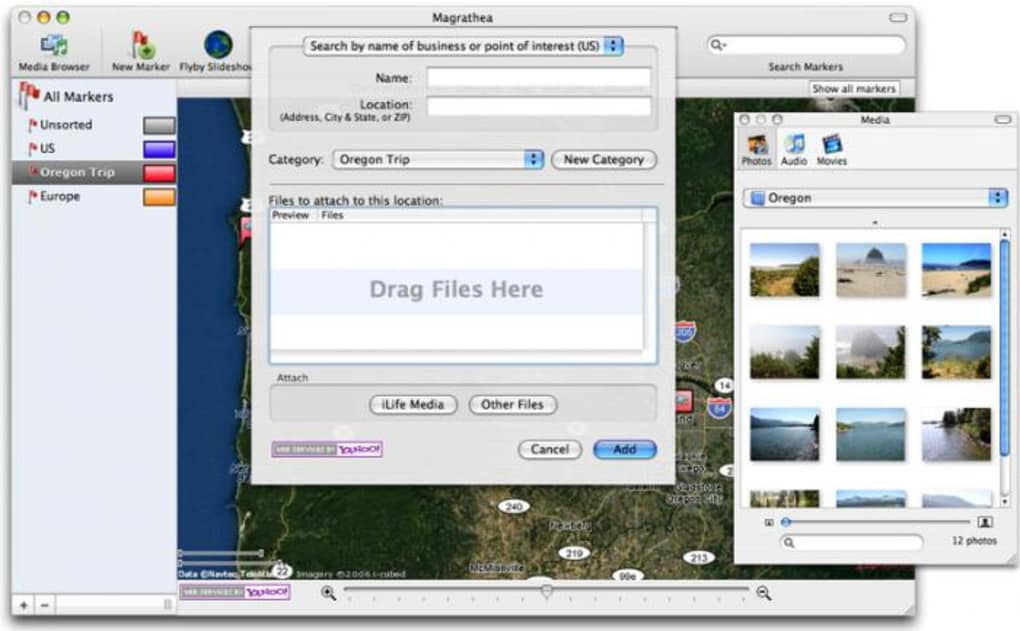
Description
Download Magrathea – Free Photo‑Mapping Tool for Mac, Windows & More
Overview
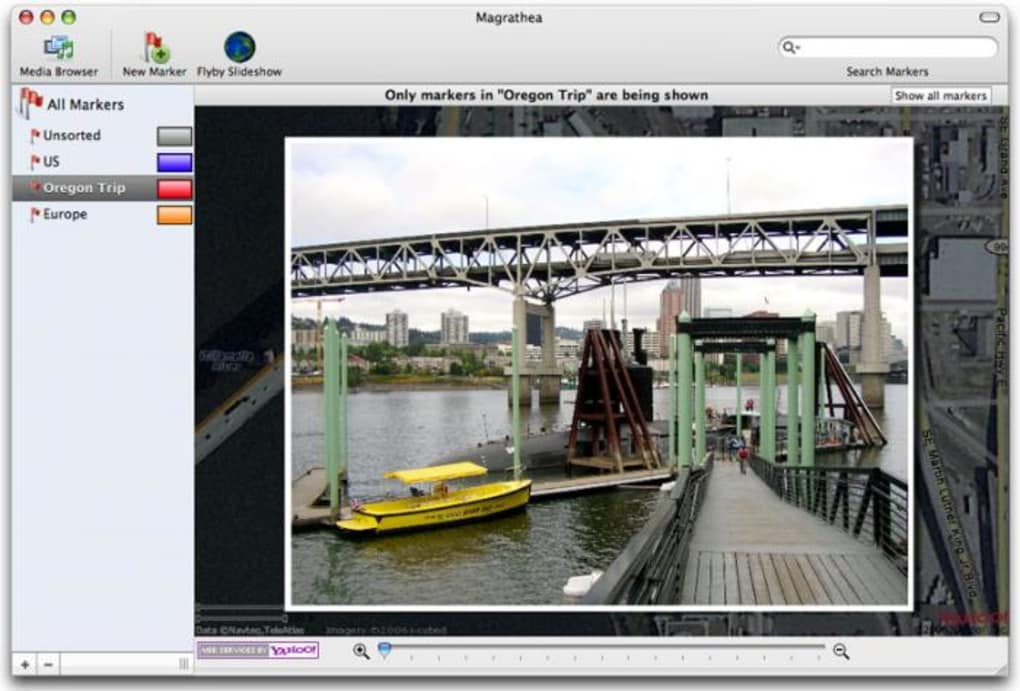
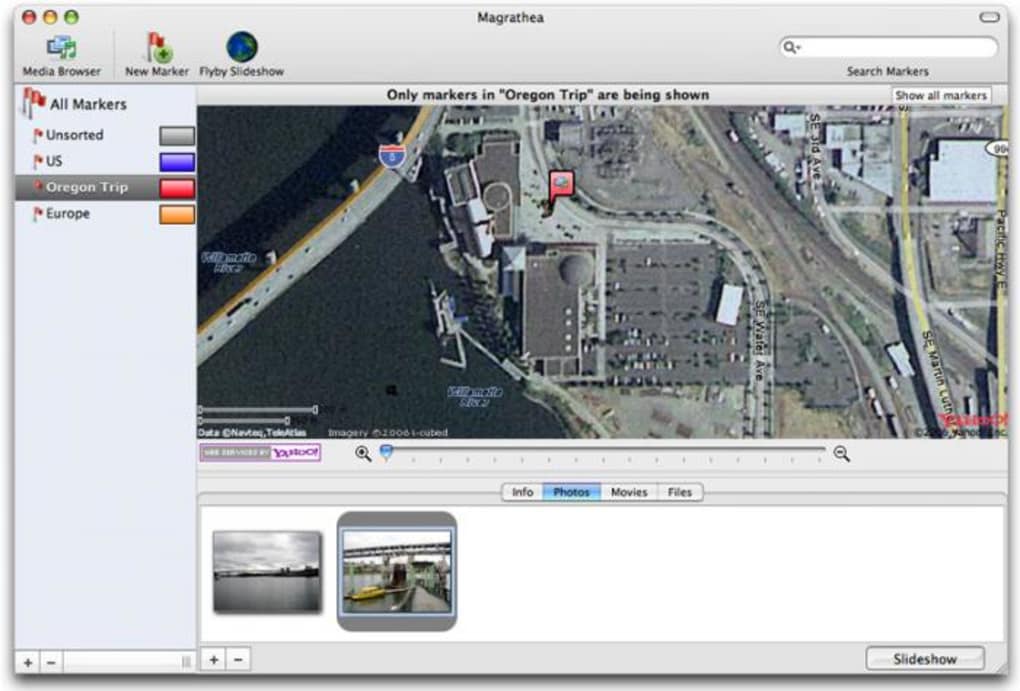
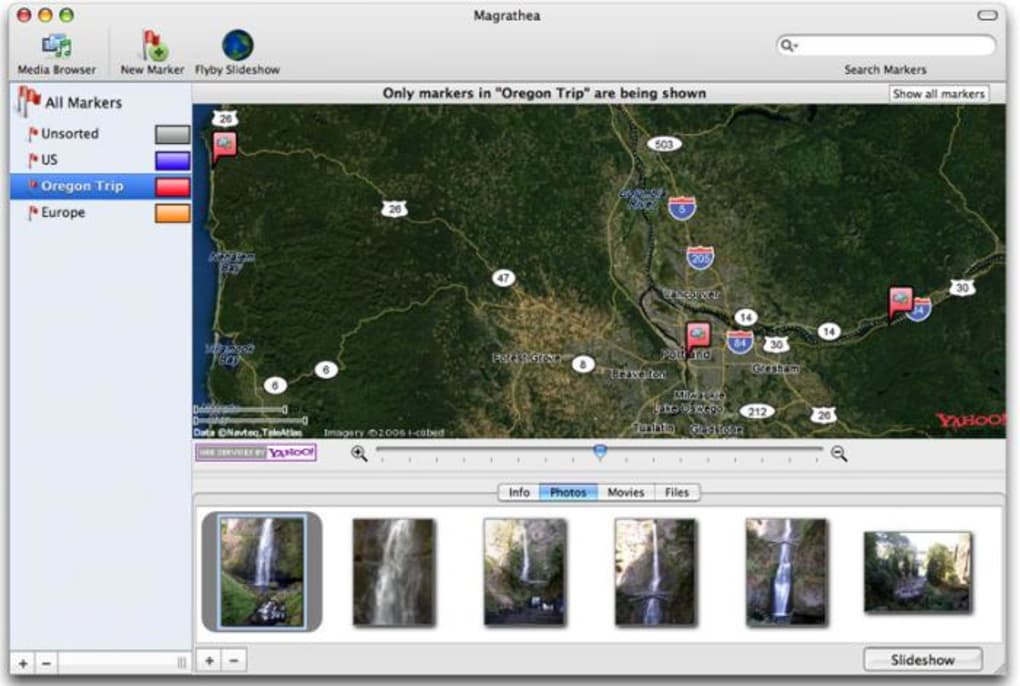
Magrathea is a lightweight, free application that lets you place your personal photos onto a world map, turning an ordinary image collection into an interactive geographic story. Designed for hobbyists, educators, and anyone who loves to explore the spatial context of their memories, Magrathea belongs to the Science & Education category with a specific focus on Geography. The current version, 0.4, was last updated on April 12 2007, and despite its age the program remains functional on modern Mac OS X (including earlier releases) and can be run on Windows through a simple compatibility layer. With a modest footprint—far smaller than many comparable GIS tools—Magrathea delivers a smooth, responsive experience that requires virtually no learning curve. Users can import a folder of images, tag each picture with latitude and longitude coordinates (either manually or via embedded EXIF data), and instantly view the results on a zoomable map. The interface is intentionally minimalistic: a map pane, a thumbnail strip, and a set of basic controls for filtering, searching, and exporting. Because the software is completely free, it’s an excellent entry point for students or teachers who need a visual aid for geography lessons without incurring licensing costs. Since its addition to the catalog in 2007, Magrathea has accumulated 379 downloads, a testament to its niche but dedicated user base. Whether you’re preparing a travel scrapbook, illustrating a research project, or simply curious about where your photos were taken, Magrathea offers a secure, offline solution that respects your privacy—no cloud accounts, no ads, just pure mapping fun.
Key Features that Make Magrathea Stand Out
- Geographic Photo Placement: Drag and drop images onto a world map, automatically positioning them based on embedded GPS coordinates.
- Cross‑Platform Availability: Native builds for Mac OS X (including legacy versions) and a Windows‑compatible version, ensuring you can use the tool on the operating system you prefer.
- Lightweight Installation: Requires less than 20 MB of disk space, far smaller than typical GIS suites, making it ideal for older machines.
- Offline Operation: All processing happens locally; no internet connection or cloud service is needed, protecting your personal data.
- Customizable Map Styles: Choose from several base map layers (satellite, terrain, political) to match the aesthetic of your project.
- Search & Filter Tools: Quickly locate photos by date, location, or keyword tags, and hide/show groups with a single click.
- Export Options: Save the final map as a high‑resolution image or generate a KML file for use in other mapping applications.
- Simple UI: An intuitive interface that requires no prior GIS knowledge; ideal for educators and casual users.
- Free & Open License: No hidden fees, no trial periods—download and use Magrathea without worrying about licensing.
- Regular Updates (Legacy): Although the last official update was in 2007, the community maintains compatibility patches for newer OS releases.
These features collectively provide a powerful yet approachable tool for visualizing where your memories were captured. The ability to work entirely offline appeals to privacy‑concerned users, while the export functions make it easy to integrate Magrathea’s output into presentations, blogs, or academic papers. Because the software is free, you can experiment without financial risk, and the modest system requirements mean it runs smoothly even on older hardware. Whether you are a teacher designing a geography lesson, a traveler compiling a visual itinerary, or a researcher mapping field‑work photos, Magrathea offers the core capabilities you need without unnecessary complexity.
Installation & Usage Instructions
Step‑by‑Step Installation
Getting Magrathea up and running is straightforward. Follow these steps for a hassle‑free setup:
- Download the Installer: Click the “Download Magrathea” button below to receive the appropriate package for your OS (Mac OS X .dmg or Windows .exe).
- Verify the File: Although Magrathea is free, it’s good practice to verify the checksum (provided on the download page) to ensure the file hasn’t been tampered with.
- Run the Installer: On macOS, double‑click the .dmg file and drag the Magrathea icon into your Applications folder. On Windows, double‑click the .exe and follow the on‑screen prompts.
- Grant Permissions: macOS may request permission to access your Photos library or location data; approve these to enable automatic EXIF reading.
- Launch the Application: Open Magrathea from your Applications folder or Start menu. The first launch may take a few seconds as the program caches map tiles.
How to Use Magrathea Effectively
Once installed, you can start mapping your photos in three easy phases:
- Import Your Images: Click the “Import” button and select a folder containing JPEG or PNG files. Magrathea will scan each image for embedded GPS metadata. If coordinates are missing, you’ll be prompted to add them manually using an interactive map pin.
- Arrange and Tag: Drag each thumbnail onto the world map where the photo was taken. You can add descriptive tags (e.g., “family‑vacation”, “research‑site”) in the side panel. These tags become searchable filters later on.
- Explore & Export: Use the zoom controls to navigate the map, click on any photo pin to view a larger preview, and adjust the map style if desired. When you’re satisfied, select “Export” to save a PNG snapshot or a KML file for external GIS tools.
Advanced users can take advantage of the “Batch Geocode” feature, which reads location data from a CSV file and automatically positions hundreds of images in seconds. For educators, the “Presentation Mode” hides the UI controls, showing only the map and photo pop‑ups—perfect for classroom displays. Throughout the workflow, Magrathea provides clear tooltips and a concise help menu, ensuring you never feel stuck. Because the software operates locally, all processing is instantaneous, even on modest hardware. In short, the installation process takes minutes, and the learning curve is shallow enough that you can start creating geographic photo stories right after the first launch.
Compatibility, Pros & Cons, and Frequently Asked Questions
System Compatibility
Magrathea officially supports Mac OS X (including versions prior to the latest releases) and can be run on Windows XP through Windows 7 via the built‑in compatibility mode. The application does not require a constant internet connection, but an initial download of map tiles will need a brief online session. Minimum hardware requirements are modest: 512 MB RAM, 200 MHz processor, and at least 20 MB of free disk space. The program is compatible with both 32‑bit and 64‑bit architectures, and it runs on macOS Catalina and later when executed under Rosetta 2. No additional libraries or runtimes are needed, making the installation process truly plug‑and‑play.
Pros
- Completely free with no hidden costs.
- Lightweight footprint; runs on older hardware.
- Offline operation protects privacy.
- Simple drag‑and‑drop interface ideal for beginners.
- Multiple export formats (PNG, KML) for versatile use.
- Supports both Mac and Windows platforms.
- Built‑in search and tag filters improve navigation.
- Customizable map layers enhance visual appeal.
Cons
- Last official update was in 2007; some modern OS features may need work‑arounds.
- Lacks advanced GIS analysis tools (e.g., spatial queries, heat maps).
- No native support for Linux; requires emulation.
- Interface looks dated compared to contemporary apps.
- Limited batch‑import automation beyond CSV geocoding.
FAQ – Your Questions Answered
Can Magrathea read GPS data from my smartphone photos?
Yes. If your photos contain EXIF GPS coordinates (common on iOS and Android devices), Magrathea will automatically place them on the map during import. If the data is missing, you can manually add coordinates using the map pin tool.
Is there a way to share my mapped photo collection online?
While Magrathea itself is offline‑only, you can export the map as a high‑resolution PNG or a KML file. The PNG can be uploaded to any website or social media platform, and the KML file can be opened in Google Earth or other web‑based map services for interactive sharing.
Do I need an internet connection to use Magrathea?
Only the first time you launch the app to download the base map tiles. After that, all mapping, tagging, and exporting happen locally, so you can work completely offline.
Can I run Magrathea on a modern macOS version like Monterey?
Yes, by using Rosetta 2 on Apple Silicon Macs or the standard compatibility mode on Intel Macs. Users have reported smooth performance on macOS Monterey, Big Sur, and Catalina.
Is there a limit to the number of photos I can import?
Magrathea does not impose a hard limit. Performance may gradually decline with extremely large collections (tens of thousands of images) due to memory usage, but for typical personal or classroom projects (under 1,000 photos) the experience remains fast.
Conclusion & Call to Action
Magrathea remains a niche but highly effective tool for anyone who wants to transform ordinary photo archives into compelling geographic narratives. Its free, lightweight design, combined with offline privacy and straightforward map‑based interaction, makes it an ideal choice for educators, travelers, and hobbyists alike. While the software does not boast the latest UI trends or advanced GIS analytics, its core functionality—placing images on a world map and exporting the result—works reliably on both Mac and Windows platforms. If you’re looking for a no‑cost solution to visualize where your memories were captured, Magrathea delivers exactly that without the clutter of subscription models or cloud‑based data harvesting. Download the installer today, import your photo collection, and watch your visual story come to life on a global canvas.
Ready to start mapping? Click here to download Magrathea for free and begin your geographic photo adventure now!
Magrathea offers a surprisingly powerful set of features for a free, lightweight application. Its ease of use and offline nature are major strengths, though the dated interface may deter users accustomed to modern design. Overall, it’s a solid choice for educational and personal projects.
- Free and open‑source
- Works offline, preserving privacy
- Simple drag‑and‑drop workflow
- Cross‑platform support (Mac & Windows)
- Last official update in 2007
- No native Linux version
- Lacks advanced GIS analysis tools
Guides & Tutorials for Magrathea
How to install Magrathea
- Click the Preview / Download button above.
- Once redirected, accept the terms and click Install.
- Wait for the Magrathea download to finish on your device.
How to use Magrathea
This software is primarily used for its core features described above. Open the app after installation to explore its capabilities.
User Reviews for Magrathea 0
No reviews found





.webp)